Free Up Space
Your disk is nearly full and you need a set amount of space back.
- Pick how much space you need
- Sweepkey plans the safest items first
- Review the plan, then clean

Sweepkey clears node_modules, DerivedData, build folders and developer caches from
your Mac, and keeps your .env files and signing keys safe in a vault before anything is deleted.
Preview build: this DMG is not notarized yet, so macOS will warn when you open it.
brew install --cask thisisprabhat/tap/sweepkey Free and open source under the MIT licence.
JavaScript and TypeScript, Python, Swift and Xcode, Flutter, Android and Gradle, Rust, Go, .NET, C/C++, Elixir, Haskell, Ruby, PHP, Zig, Scala, Bazel, Terraform, Unity, Unreal, and the caches of the tools around them.
 JavaScript
  Node.js
  Python
  Swift
Swift  Xcode
Xcode  Flutter
  Android
  Kotlin
 Gradle
 Rust
Rust  Go
Go  .NET
.NET  C++
C++ 
 Elixir
  Haskell
  Ruby
Ruby  PHP
PHP  Zig
Zig  Scala
Scala  Bazel
Bazel  Terraform
 Unity
Unity 
 Unreal Engine
  Docker
  npm
npm  pnpm
pnpm  Yarn
Yarn  CocoaPods
  Homebrew
 JetBrains
  Hugging Face
 Ollama
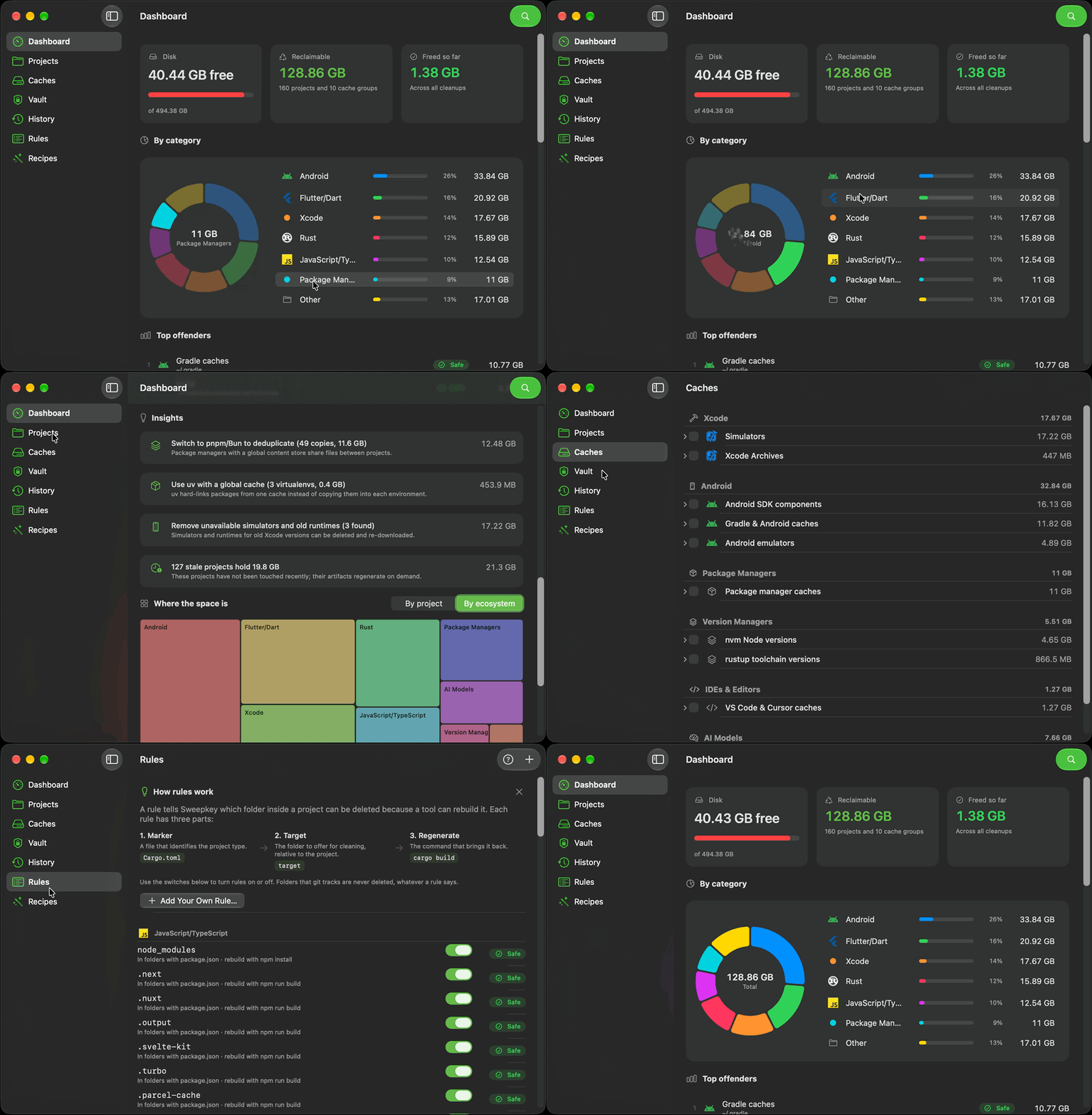
 This demo disk works like the app. Click a folder to keep it, then sweep the rest. The secret files go to the vault first.
Add the folders where your code lives. Sweepkey only offers a folder when a marker file proves what it is: target/ next to Cargo.toml, build/ next to pubspec.yaml or build.gradle.
Every folder is listed with its size, its risk level and the command that rebuilds it. Folders that git tracks are skipped, and nothing is deleted until you confirm.
Your .env files, keystores and other files git does not have are copied into a vault, then the rebuildable folders are removed or moved to the Trash.
A demo disk. Click a folder to keep it, then sweep.
to sweep
ledger-rs storefront-web FieldNotes tide_app ml-notebooks 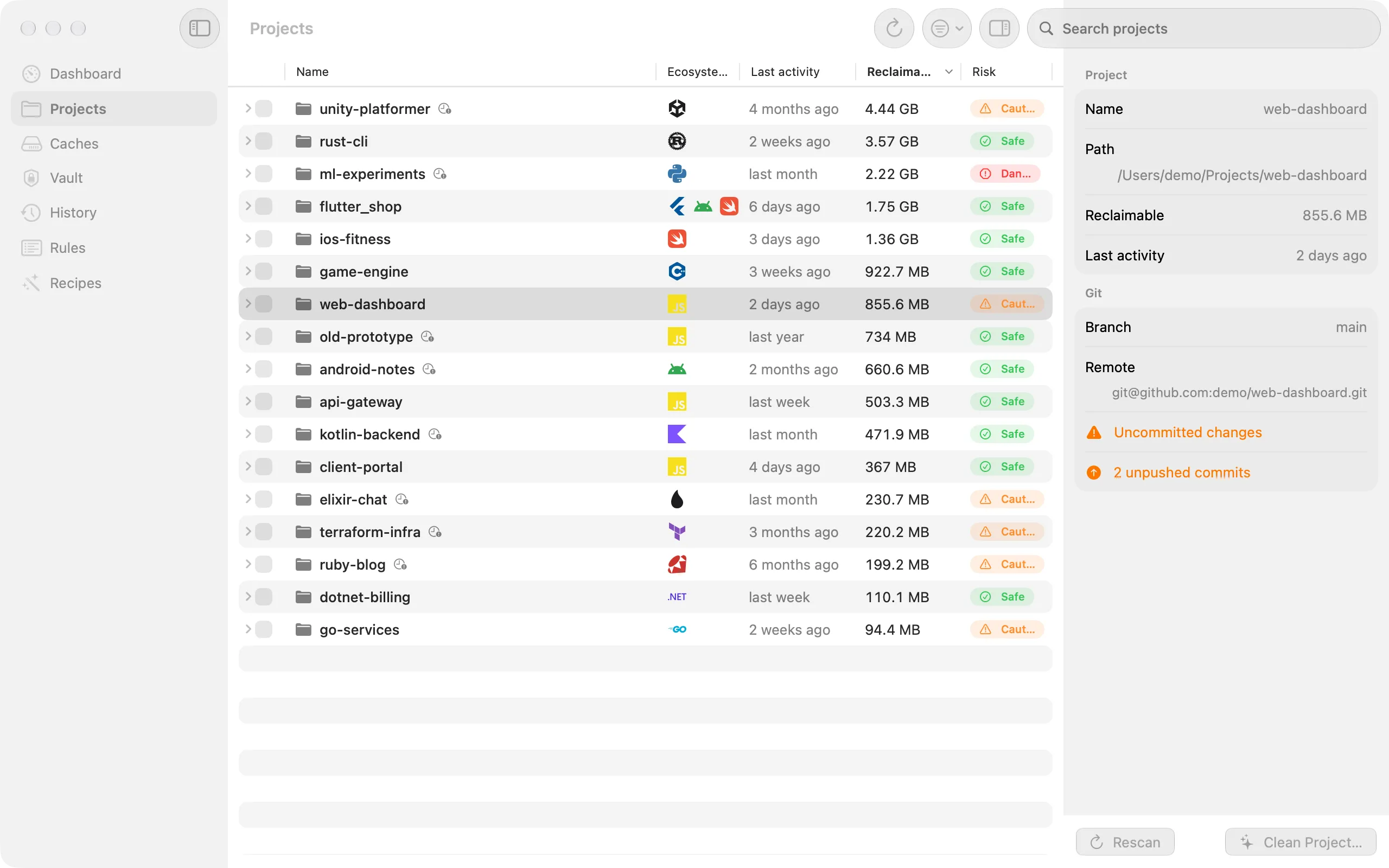
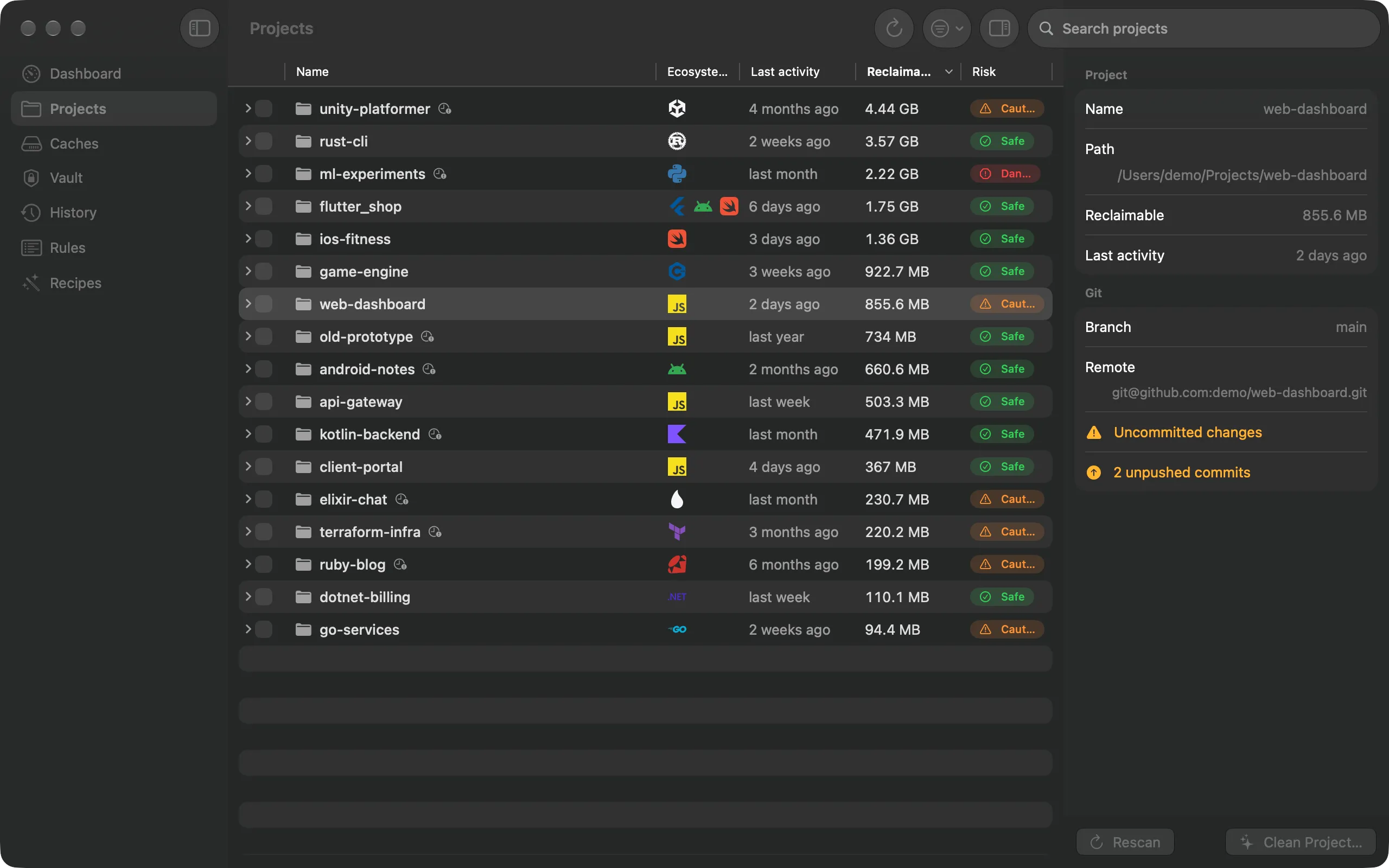
Add your project folders once. Sweepkey finds each project's rebuildable folders, shows how big they are, when you last worked on it, and the command that brings them back.
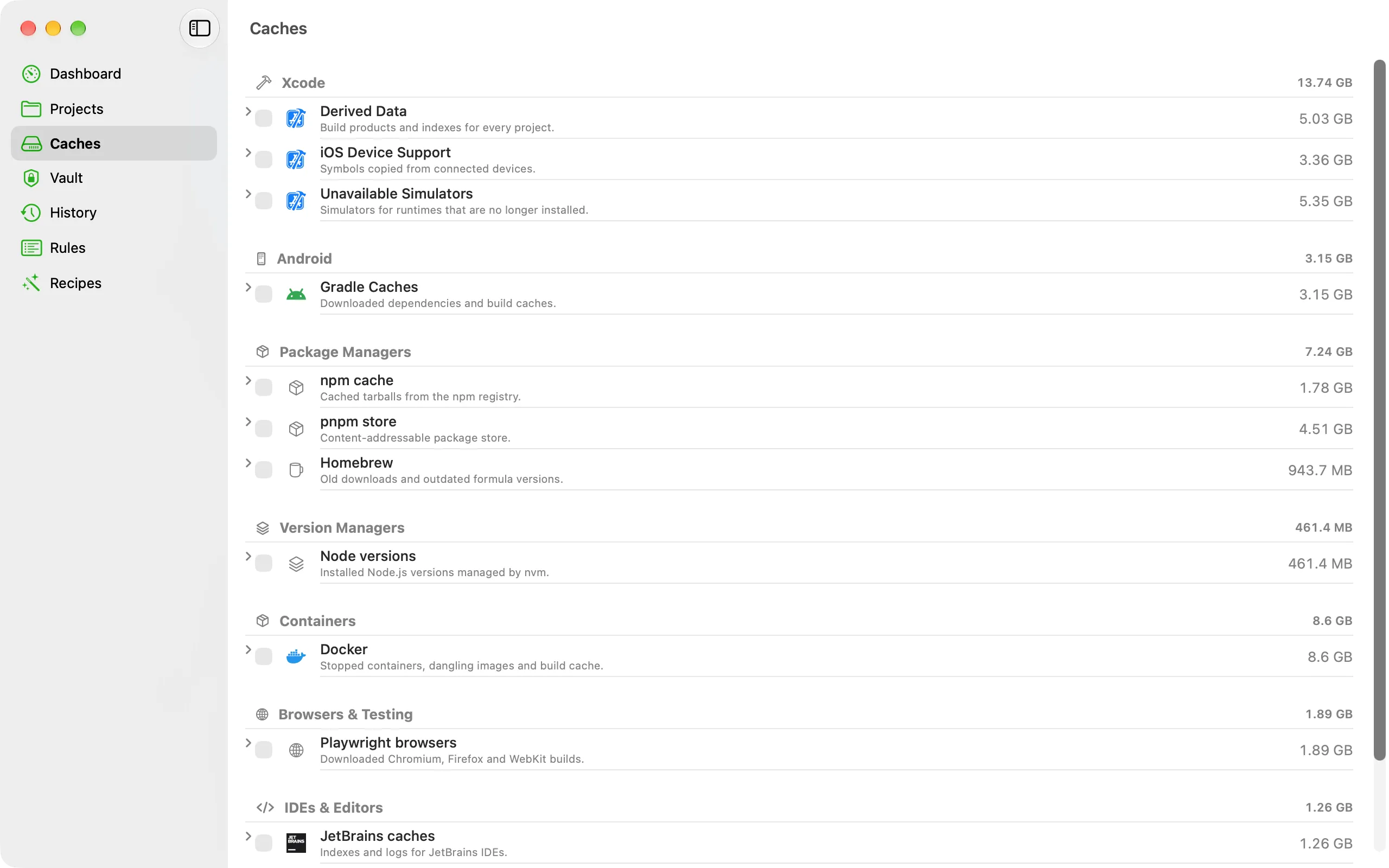
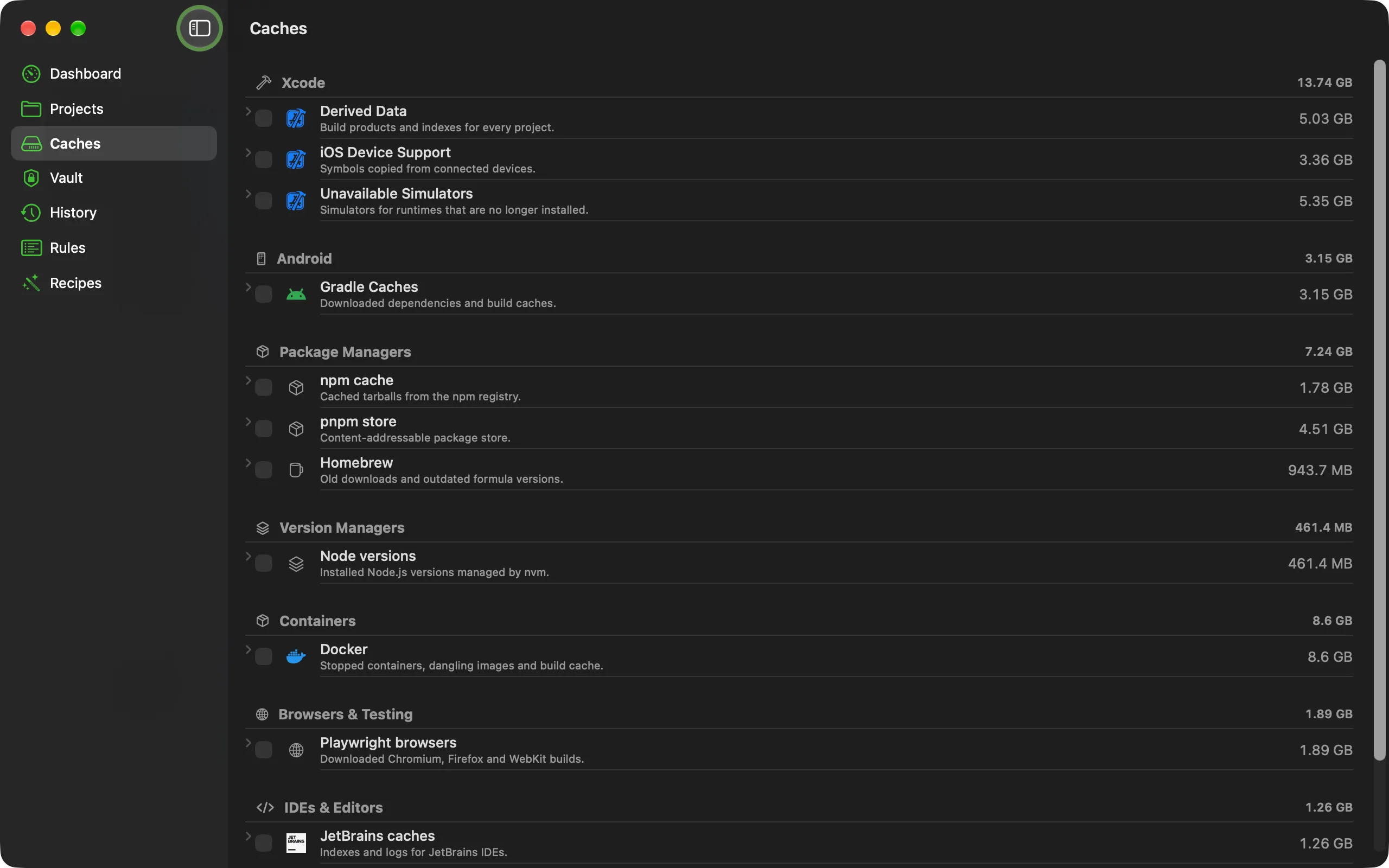
The caches your tools leave outside projects, grouped by tool. Where a tool has its own cleanup command, Sweepkey runs that instead of deleting files by hand.
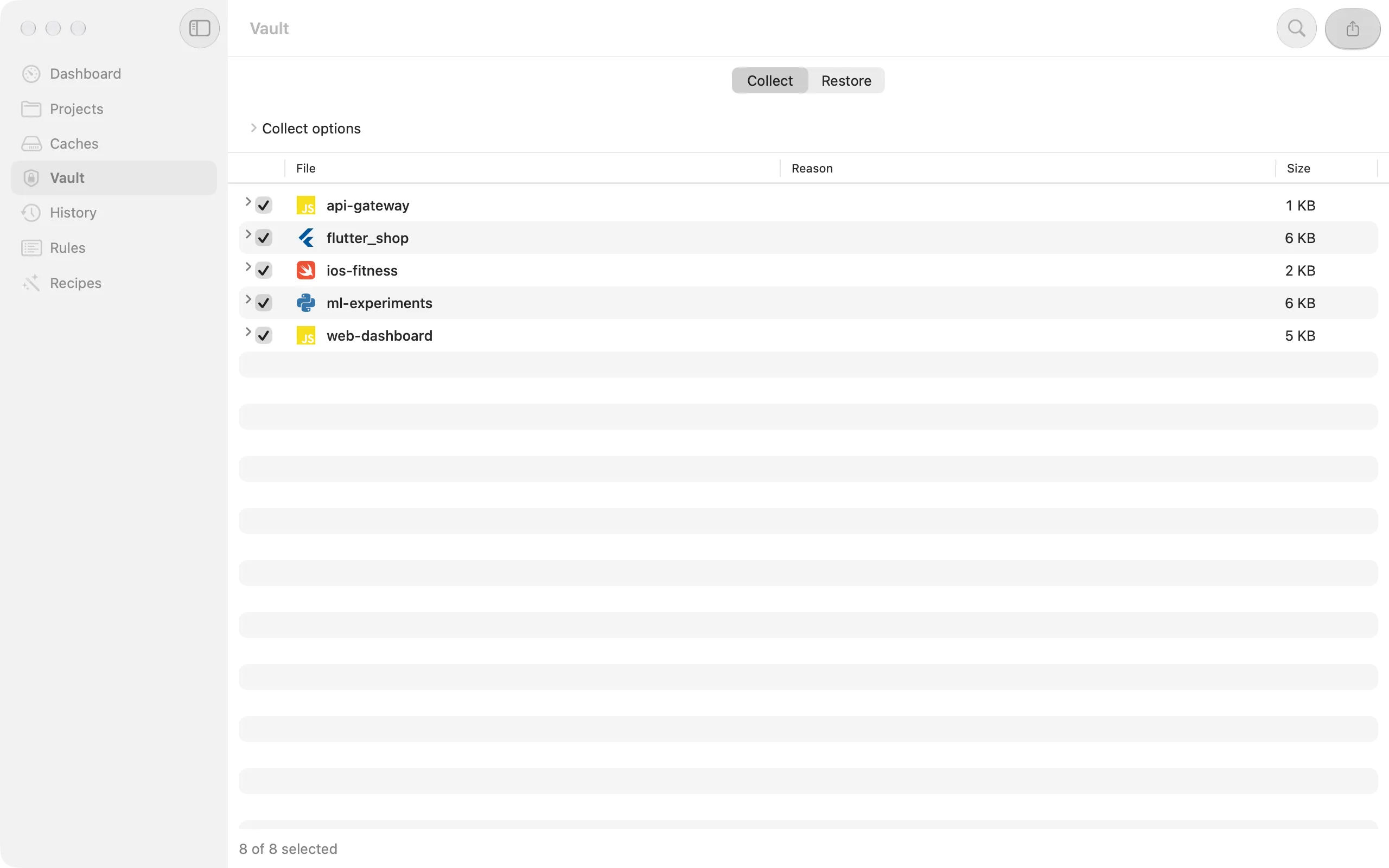
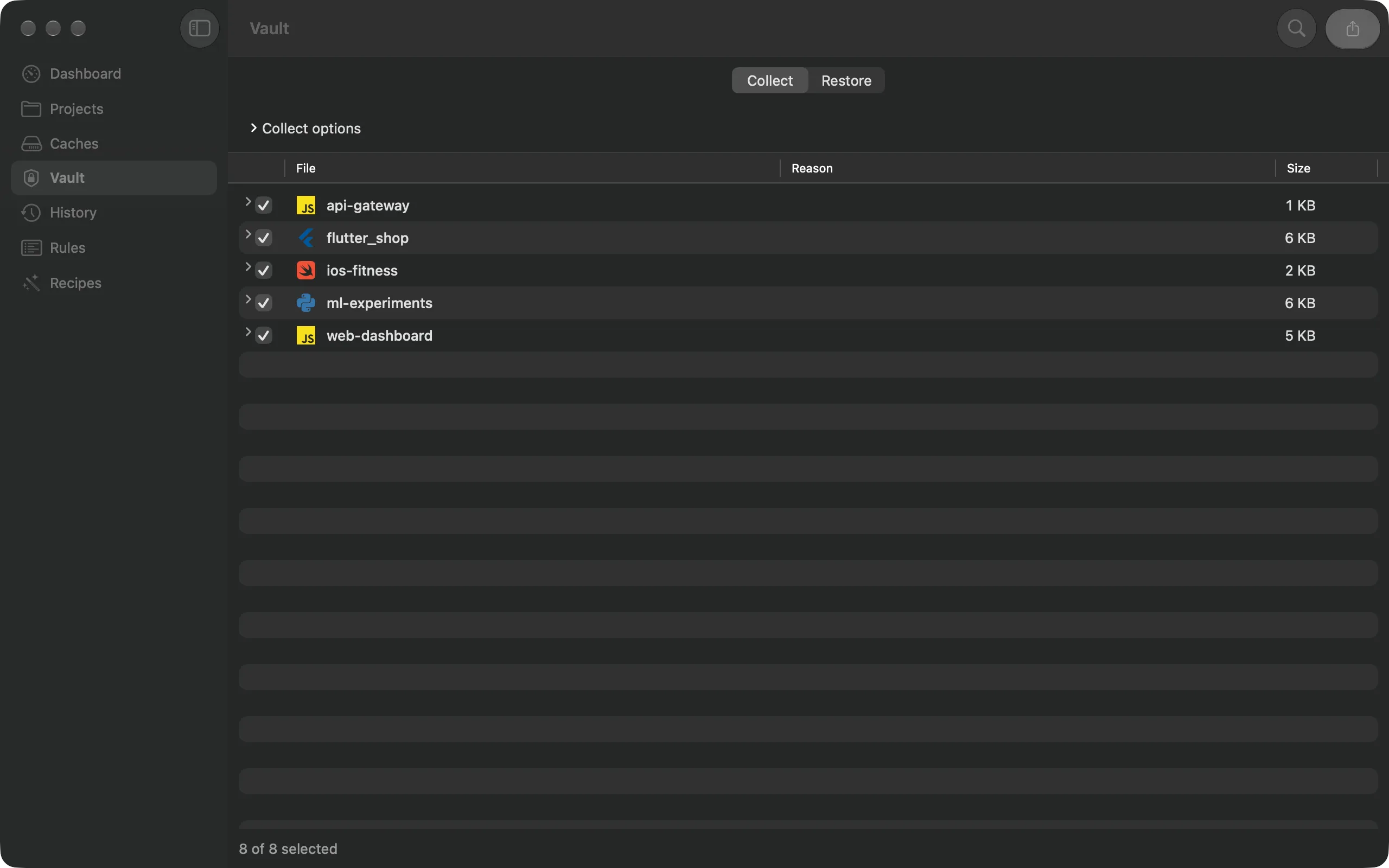
Before you clean, collect the files git doesn't have and can't rebuild: .env files, keystores, certificates, cloud credentials. Export them as a folder, a zip or an encrypted disk image.
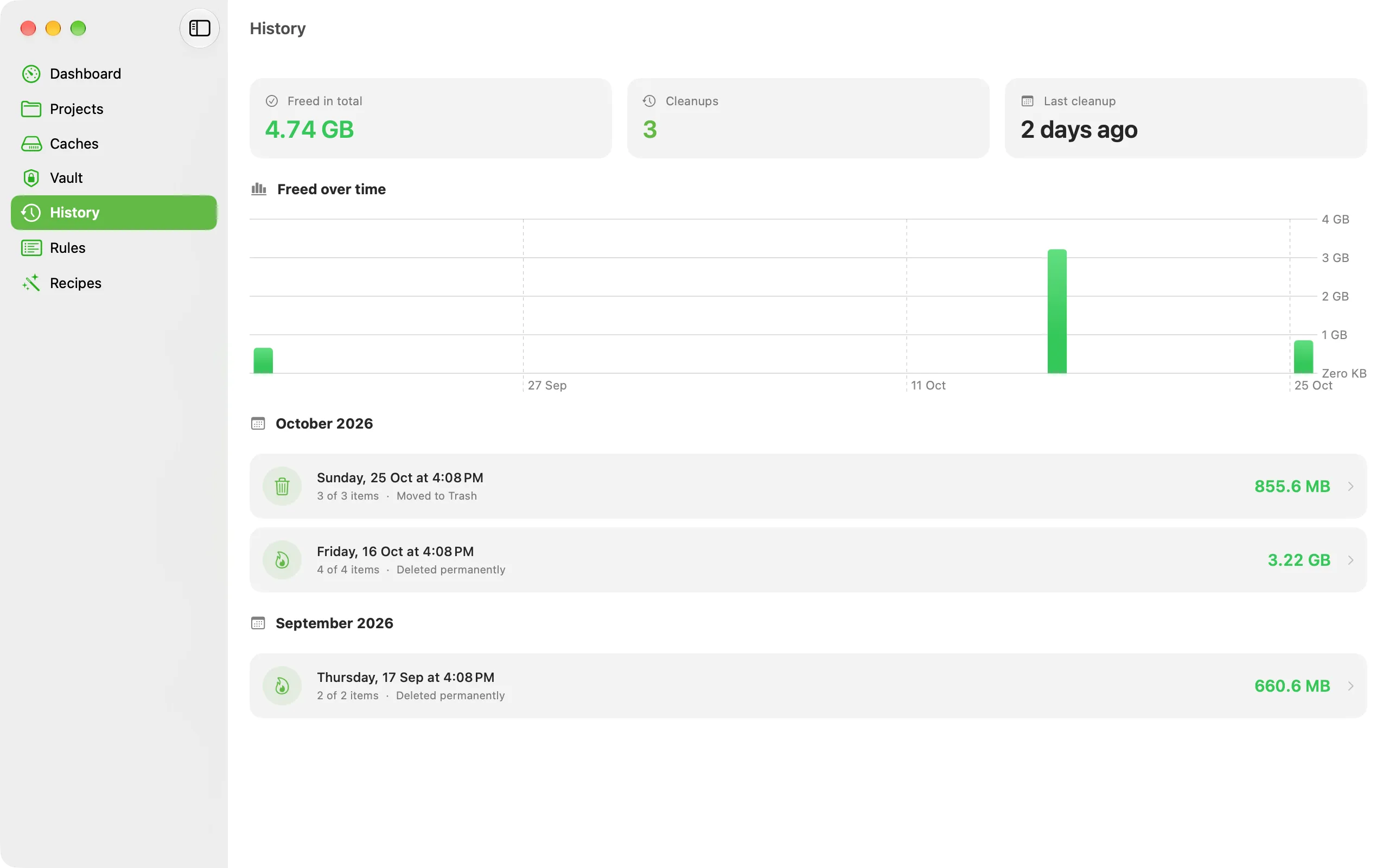
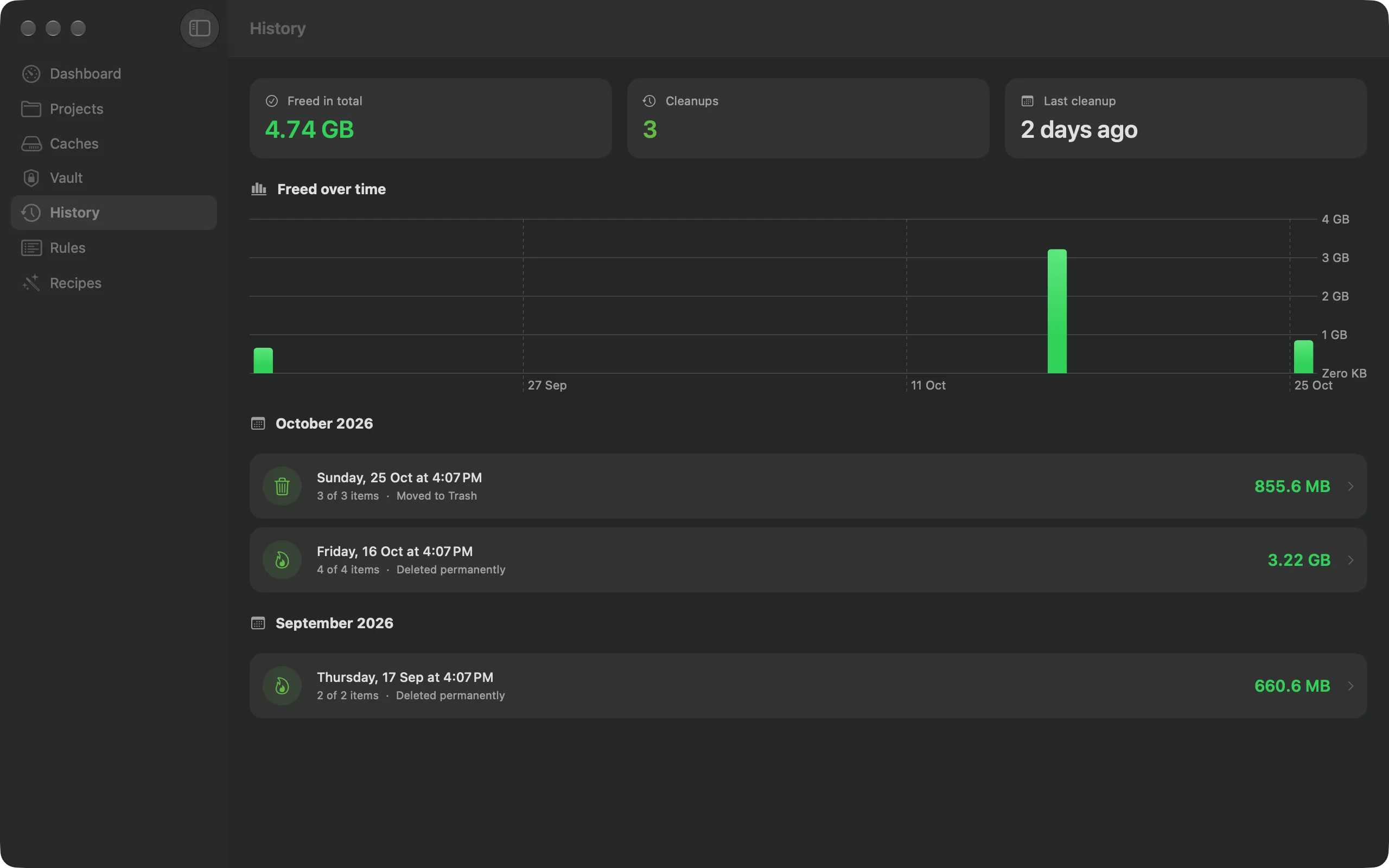
Each clean is journaled: what was removed, where, how big, and how. See your lifetime space reclaimed and the trend over time.
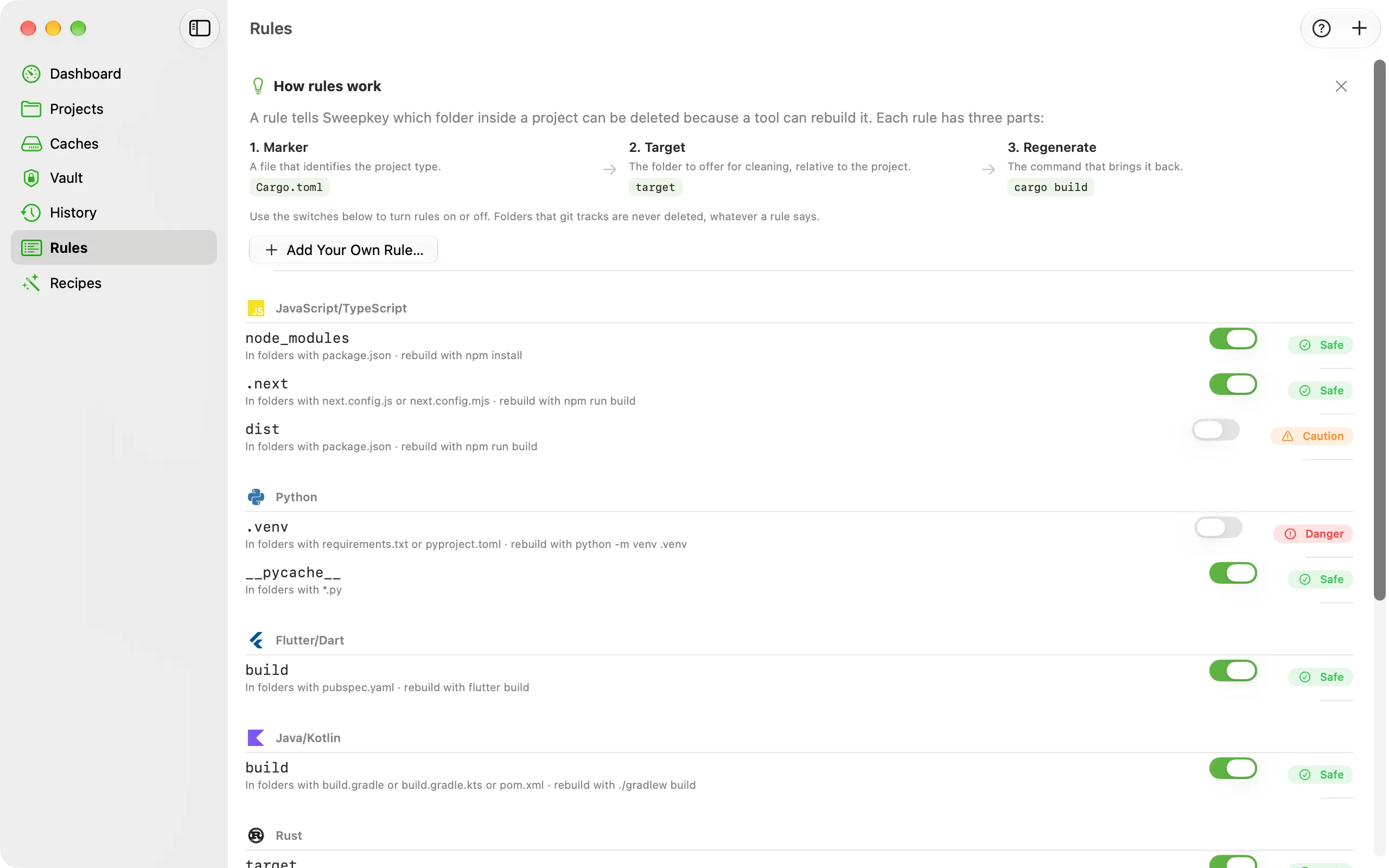
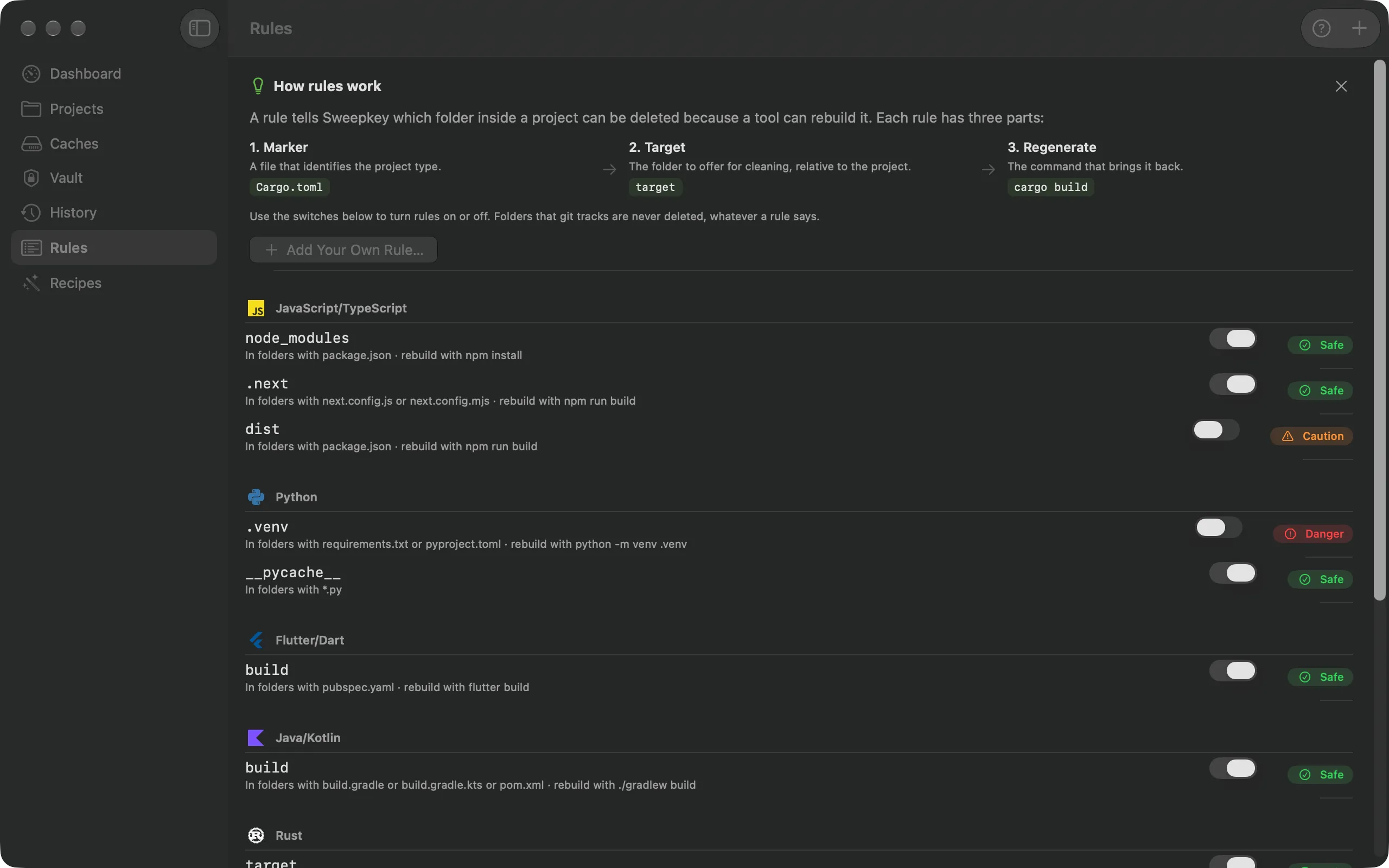
What counts as rebuildable is data, not code. Turn rules on or off, or add your own with a marker file, a target and a risk level.
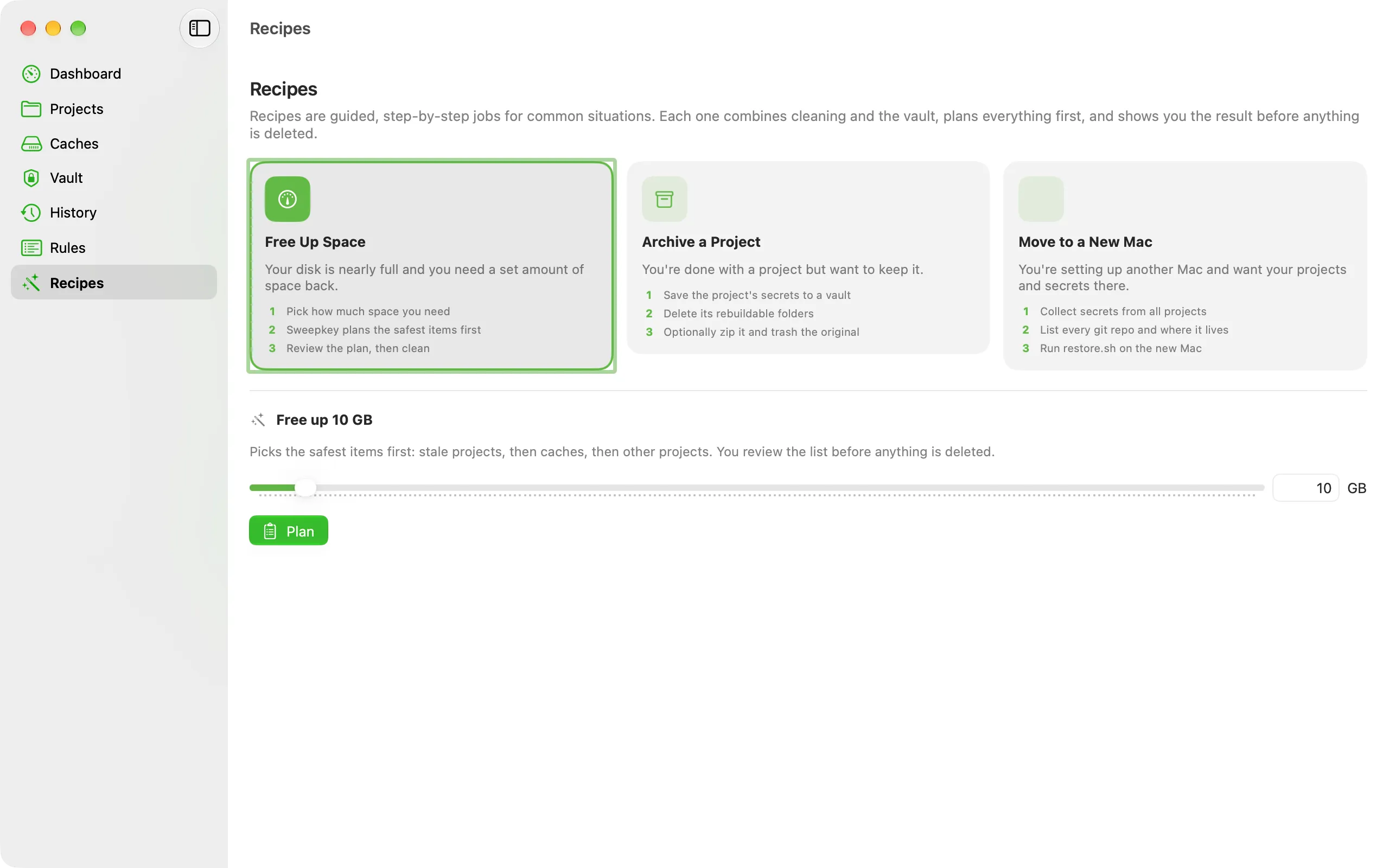
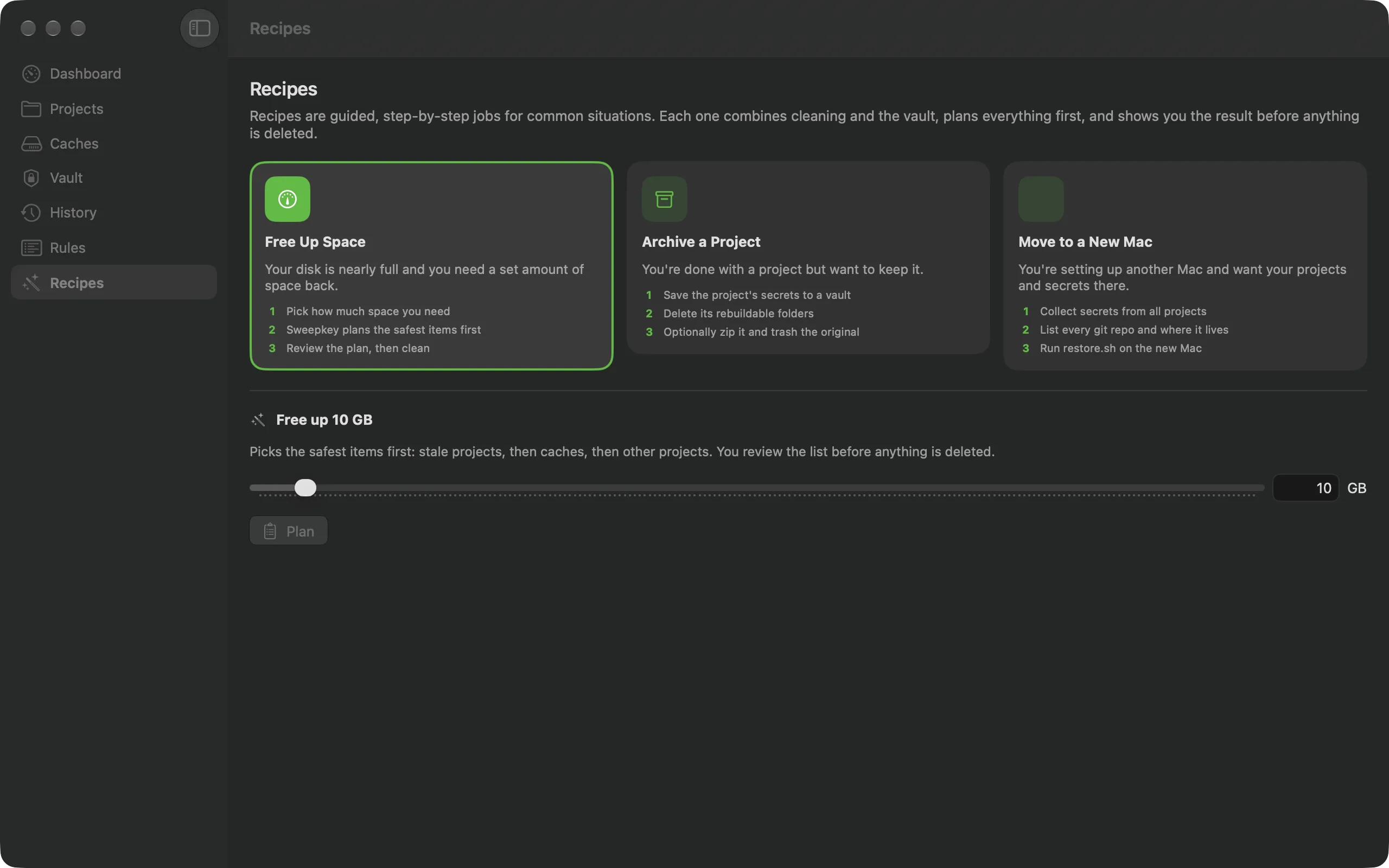
Recipes combine cleaning and the vault into step-by-step jobs. Each one plans everything first and shows you the result before anything is deleted.
Sweepkey deletes files, so it treats every folder as important until it's sure it can be rebuilt.
Nothing is deleted until you've seen the full list and total size and confirmed. The CLI has --dry-run and won't run unattended without --yes.
A folder that contains any git-tracked file is skipped, so a build/ or dist/ you committed on purpose stays put. If git can't answer, the folder is skipped.
Symlinks are never followed, and hard links are counted once.
Delete permanently or move to the Trash, per run or as your default. Trash runs can be undone with Put Back.
Nothing outside your scan roots is removed. Your scan roots, your home folder, / and system folders never are.
Pin a project or exclude a path and it's never offered. You're warned when a project looks open in an editor or terminal.
Every item is Safe, Caution or Danger. Danger needs an extra confirmation.
Optionally require a vault export before cleaning. If the export fails, nothing is deleted.
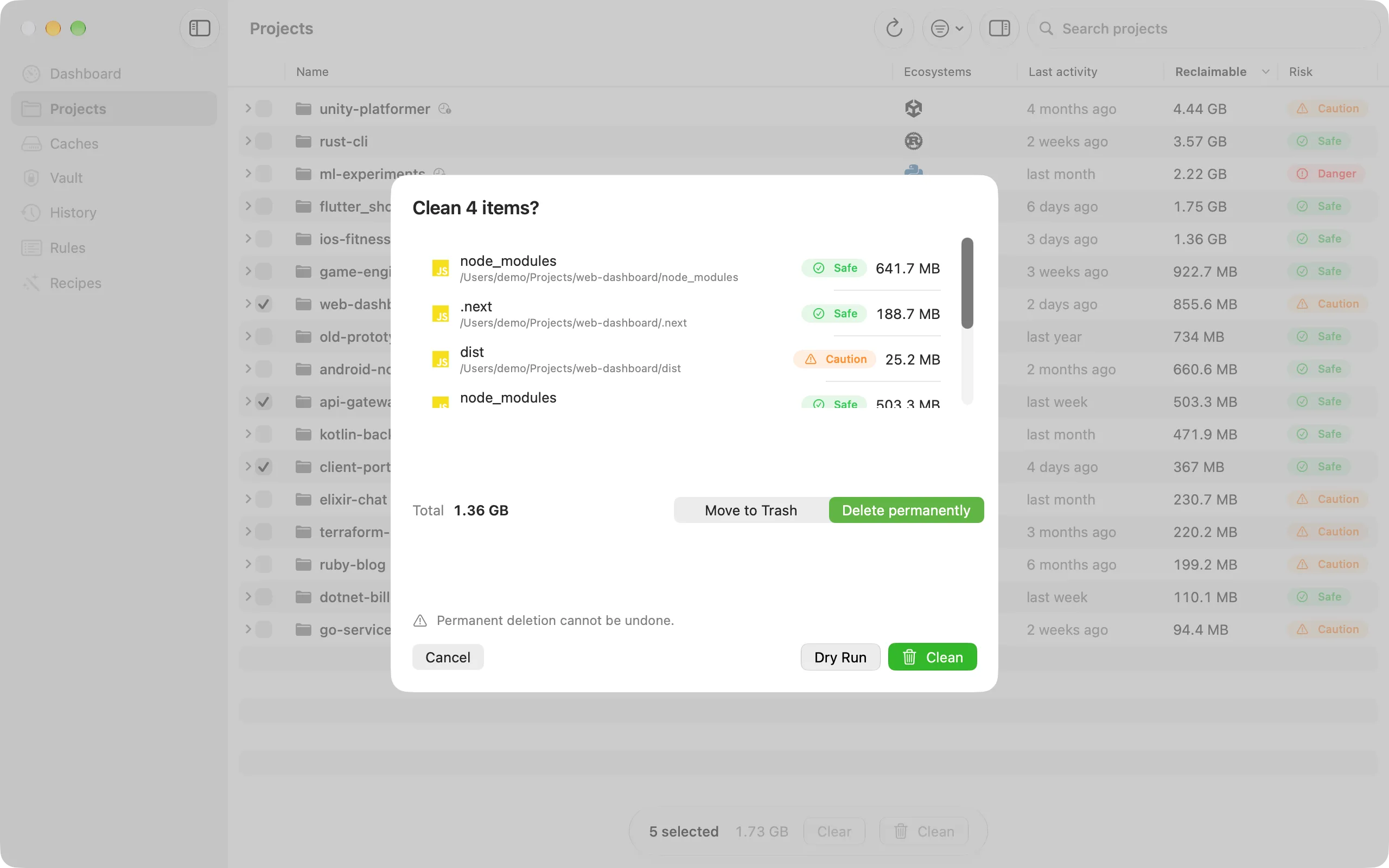
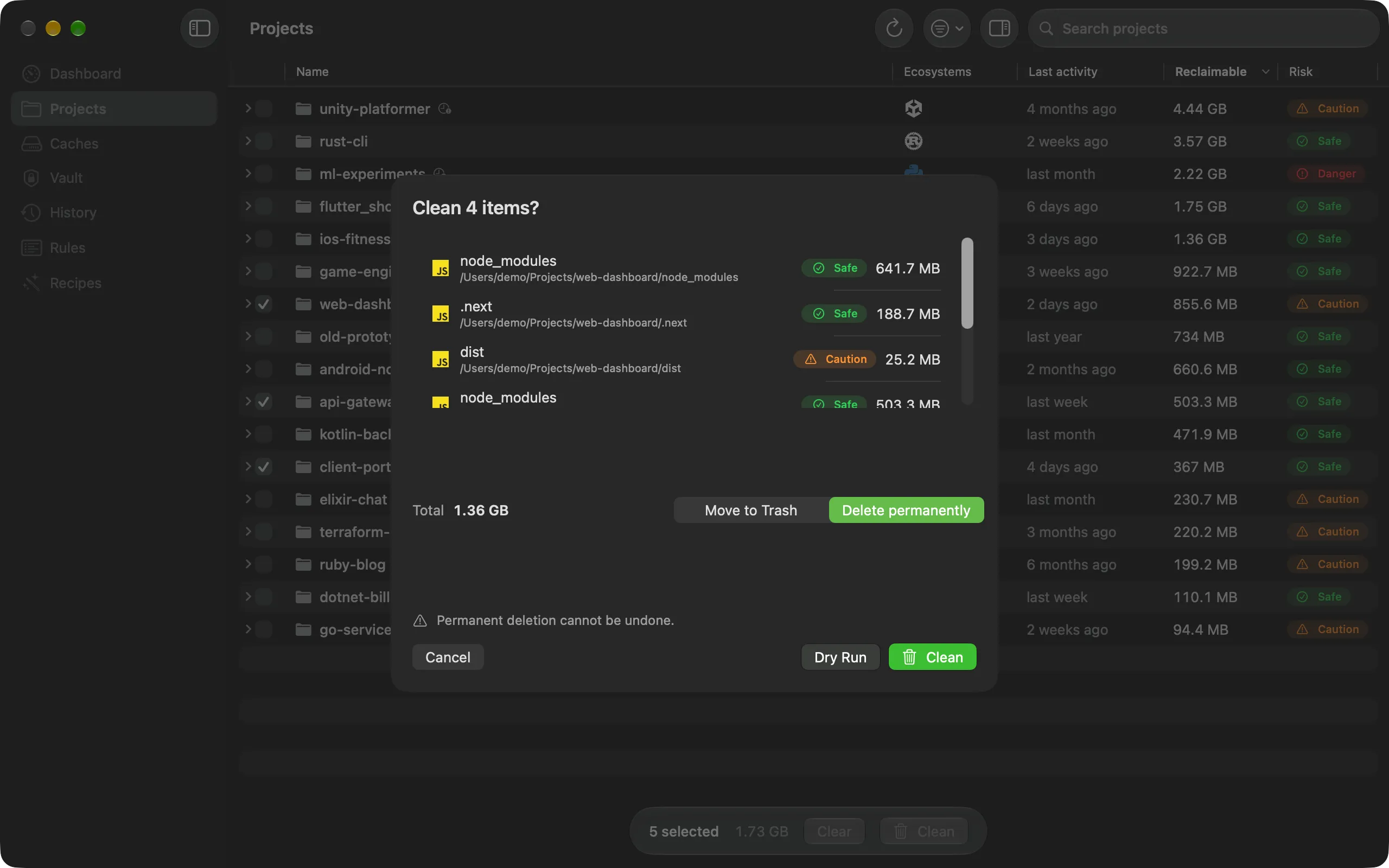
Sizes are shown as "up to" because APFS clones may share blocks. Unattended cleans (menu bar, schedule, Shortcuts) only touch Safe folders in stale projects, never global caches.
The sweepkey command ships inside the app (Homebrew puts it on your PATH) and as a standalone
zip in every release. Plan with --dry-run, read --json, and use it in scripts.
Exit codes: 0 ok, 1 error, 2 nothing to do. clean asks
before deleting unless you pass --yes.
sweepkey scan ~/ProjectsProject Ecosystems Reclaimable Last activity -------------- --------------------- ----------- ------------- web-dashboard JavaScript/TypeScript 70.0 MB today rust-cli Rust 64.0 MB today flutter_shop Flutter/Dart 36.0 MB today ml-experiments Python 30.0 MB today 4 project(s), 200.0 MB reclaimable.
sweepkey clean ~/Projects --dry-runPlan (dry run, permanent): Item Risk Size Path Warning ------------ ---- ------- ------------------------------------- ------- node_modules safe 48.0 MB ~/Projects/web-dashboard/node_modules .next safe 22.0 MB ~/Projects/web-dashboard/.next target safe 64.0 MB ~/Projects/rust-cli/target build safe 36.0 MB ~/Projects/flutter_shop/build .venv safe 30.0 MB ~/Projects/ml-experiments/.venv 5 item(s), 200.0 MB. Item Status Freed Message ------------ ------ ------- ------- node_modules dryRun 48.0 MB .next dryRun 22.0 MB target dryRun 64.0 MB build dryRun 36.0 MB .venv dryRun 30.0 MB Dry run: nothing was deleted. Would free 200.0 MB.
sweepkey vault collect ~/Projects --to ~/VaultFile Why Size -------------------------------------------- ------------- ------ Projects/flutter_shop/android/key.properties ignoredMatch 19 B Projects/flutter_shop/android/upload.jks ignoredMatch 1.0 MB Projects/flutter_shop/pubspec.yaml alwaysCollect 19 B Projects/web-dashboard/.env.local ignoredMatch 13 B Vault written to ~/Vault: 4 copied, 0 unchanged.
sweepkey scan [paths...] [--json] [--stale-only] [--min-size 100MB]
sweepkey clean [paths...] [--dry-run] [--trash] [--stale-only] [--rule <id>]... [--yes] [--skip-vault]
sweepkey caches [--json]
sweepkey caches clean <group-id>... [--dry-run] [--yes]
sweepkey vault collect <paths...> --to <dest> [--format folder|zip|dmg] [--uncommitted] [--scan-contents]
sweepkey vault restore <vault> [--by-remote <searchRoot>...] [--overwrite] [--dry-run]
sweepkey history [--json]Each recipe combines cleaning and the vault, plans everything first, and shows you the result before anything is deleted.
Your disk is nearly full and you need a set amount of space back.
You're done with a project but want to keep it.
You're setting up another Mac and want your projects and secrets there.
Sweepkey is conservative by design. Every clean starts as a dry run: you see each folder, its size and its risk level before you confirm. Folders containing git-tracked files are skipped, symlinks are never followed, nothing outside your scan roots is touched, and Danger items need an extra confirmation. You can also send everything to the Trash instead of deleting it.
Developer projects often live in places macOS protects, like Desktop, Documents, Downloads and external drives, and some tool caches do too. Without Full Disk Access, scans silently miss those folders and deletions can fail. Sweepkey still works without it, on the folders it can read. Onboarding links straight to the right page in System Settings.
Nowhere. Sweepkey has no telemetry, no analytics and no accounts. Scans, history and the vault stay on your Mac, and vault contents leave it only if you export them somewhere yourself. The only network request is the Sparkle update check, which fetches the update feed from GitHub Releases.
A sandboxed app can't clean arbitrary project folders, so the App Sandbox is off for the app. The bundled widget is sandboxed. The app is signed with a Developer ID, uses the Hardened Runtime and is notarized by Apple, and the source is public so you can check exactly what it does.
Quit Sweepkey (turn off "Launch at login" in Settings first if you enabled it), then drag it from Applications to the Trash. To remove its data too, delete ~/Library/Application Support/Sweepkey and ~/Library/Preferences/com.prabhatkumar.Sweepkey.plist. With Homebrew: brew uninstall --zap --cask sweepkey. Vaults you exported stay where you saved them.
Yes. Sweepkey is free and open source under the MIT licence, and the code is on GitHub. Cleaning rules are plain JSON, so adding support for a new tool is usually a small pull request. Releases are built by a public GitHub Actions workflow.
Any Mac running macOS 26 or later. Building from source needs Xcode 27. The download is a single DMG; the sweepkey command-line tool is included in the app and is also available as a separate zip.
No. Every release is signed with an Apple Developer ID and notarized by Apple, and the notarization ticket is stapled to both the app and the DMG, so Gatekeeper opens it without a warning, even offline. You can check with spctl -a -vv /Applications/Sweepkey.app, which should report "Notarized Developer ID".
Through Sparkle 2, with EdDSA-signed updates published on GitHub Releases. Choose "Check for Updates…" in the app menu, or let it check automatically. If you installed with Homebrew, the cask is marked auto-updating, so Sparkle handles updates there too.

Preview build: this DMG is not notarized yet, so macOS will warn when you open it.
Open the DMG and drag Sweepkey to Applications. On first launch, Sweepkey walks you through choosing project folders and Full Disk Access.
brew install --cask thisisprabhat/tap/sweepkey Installs the app and puts sweepkey on your PATH.
387feb9618608ec6a755a5178a4f459dd757a77e1eafc83eb18eef4f109d943e Verify with shasum -a 256 ~/Downloads/Sweepkey-0.1.0.dmg